

The latest version of Global Icon Pack APK (v0.6.2) is available to download. An Xposed module for applying icon packs globally This app works on Android phones and tablets.
About Global Icon Pack APK
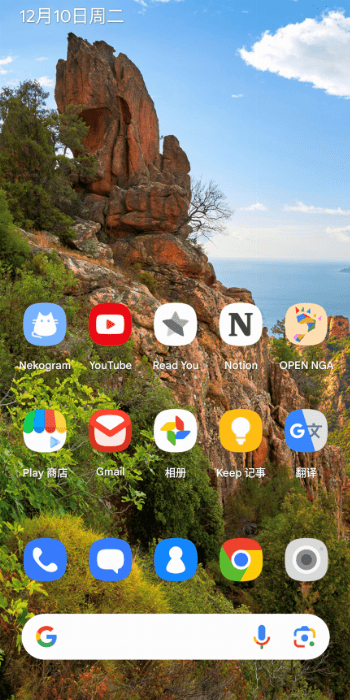
Global Icon Pack An Xposed module for applying icon packs globally Some launchers support icon packs, however the icons are usually inconsistent across the whole system. For example, the Settings page and the Recent Apps screen may retain the default icons. This module is designed to extend the icon packs throughout the entire system. Requirements LSPosed Android 8.1+ (I tested on Android 14, 15. @Mickmick21 tested on Android 10, 12L.) Some features require AOSP-like OS Installation Install the apk. Select apps in lsposed. It should work for most apps/launchers , depending on the api they use. Open Global Icon Pack, choose an icon pack. Open the three dot menu, click each of Restart xxx. Notes Modes Use share mode whenever possible. The provider mode serves as a fallback if share mode doesn't work. Local mode is only reserved for testing and you can't use icon variants with this mode (However it maybe faster if there are only a few icon…
Global Icon Pack APK was developed by RichardLuo and is available under the GPL-3.0-only open-source license. This means the source code is public and anyone can inspect it. If you like Xposed apps, you can also browse more apps in this category.
Global Icon Pack APK Information
| App Name | Global Icon Pack |
| Package | com.richardluo.globalIconPack |
| Version | 0.6.2 |
| Size | 2 MB |
| Requires | Android 8.1 and up |
| Category | Xposed |
| Developer | RichardLuo |
| License | GPL-3.0-only |
| Source | IzzyOnDroid |
| Last Updated | October 28, 2026 |
Download Global Icon Pack APK v0.6.2
How to Install Global Icon Pack APK on Android
- Download the Global Icon Pack APK file using the button above.
- Open your phone Settings and allow “Install unknown apps” for your browser or file manager.
- Tap the downloaded APK file and press Install.
- After installation, open Global Icon Pack from your app drawer.
Why Download Global Icon Pack APK from Here?
We link Global Icon Pack APK directly from IzzyOnDroid, so the file is original and we make no changes to it. Whenever a new version is released, this page is updated automatically, so you always get the latest Global Icon Pack APK.
Frequently Asked Questions
Is Global Icon Pack APK free?
Yes, Global Icon Pack APK is free and available under the GPL-3.0-only open-source license.
Is Global Icon Pack APK safe?
This file comes from the IzzyOnDroid repository, where APKs are taken from the developers' official repositories. Still, always check an app’s permissions before installing it.
Which Android version does Global Icon Pack APK need?
Global Icon Pack APK requires Android 8.1 and up to run.
What is the latest version of Global Icon Pack APK?
The latest version is 0.6.2, updated on October 28, 2026.
Official page: Global Icon Pack official website / source

