The latest version of ShelfDroid APK (v0.6.3) is available to download. Audiobookshelf Android client with playback, downloads, and server management This app works on Android phones and tablets.
About ShelfDroid APK
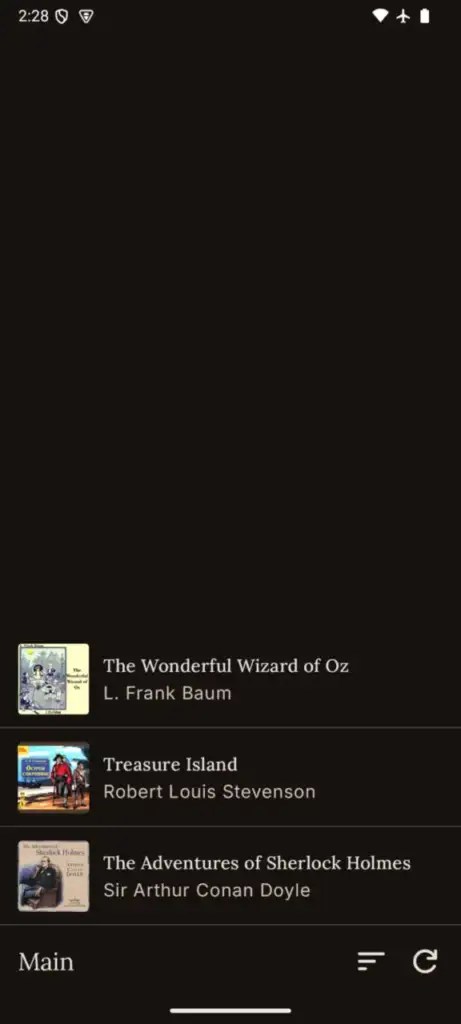
ShelfDroid is a third-party Android client for self-hosted Audiobookshelf servers. Use it to browse your audiobook and podcast libraries, stream playback from your server, keep listening offline on your Android device, and handle common server management tasks from the same app. Features – Browse audiobook and podcast libraries from your Audiobookshelf server – Stream audiobooks and podcast episodes with synced progress – Download books and episodes for durable offline playback – Use chapters, bookmarks, sleep timer, playback speed, and player controls – Manage backups, API keys, users, logs, and server settings when your account has permission – Review listening sessions and other admin screens available to your account – Customize sorting, display preferences, and playback settings Requirements – An Audiobookshelf server you can sign in to – Android 10 or newer ShelfDroid does not provide media, hosting, or a managed server. You bring your own Audiobookshelf library and account.
ShelfDroid APK was developed by 100nandoo and is available under the AGPL-3.0-or-later open-source license. This means the source code is public and anyone can inspect it. If you like Audiobook apps, you can also browse more apps in this category.
ShelfDroid APK Information
| App Name | ShelfDroid |
| Package | dev.halim.shelfdroid |
| Version | 0.6.3 |
| Size | 10 MB |
| Requires | Android 10 and up |
| Category | Audiobook |
| Developer | 100nandoo |
| License | AGPL-3.0-or-later |
| Source | F-Droid |
| Last Updated | November 4, 2026 |
Download ShelfDroid APK v0.6.3
How to Install ShelfDroid APK on Android
- Download the ShelfDroid APK file using the button above.
- Open your phone Settings and allow “Install unknown apps” for your browser or file manager.
- Tap the downloaded APK file and press Install.
- After installation, open ShelfDroid from your app drawer.
Why Download ShelfDroid APK from Here?
We link ShelfDroid APK directly from F-Droid, so the file is original and we make no changes to it. Whenever a new version is released, this page is updated automatically, so you always get the latest ShelfDroid APK.
Frequently Asked Questions
Is ShelfDroid APK free?
Yes, ShelfDroid APK is free and available under the AGPL-3.0-or-later open-source license.
Is ShelfDroid APK safe?
This file comes from the official F-Droid repository, where apps are open source and their source code is public. Still, always check an app’s permissions before installing it.
Which Android version does ShelfDroid APK need?
ShelfDroid APK requires Android 10 and up to run.
What is the latest version of ShelfDroid APK?
The latest version is 0.6.3, updated on November 4, 2026.
Official page: ShelfDroid official website / source